Creating Your First Project
A project holds the files you want to analyze together: call recordings, customer interviews, support transcripts, survey CSVs, anything you'd reason about as one set.
1. Start a project
Log in at app.userevaluation.com. On the projects page, click New Project in the top right.
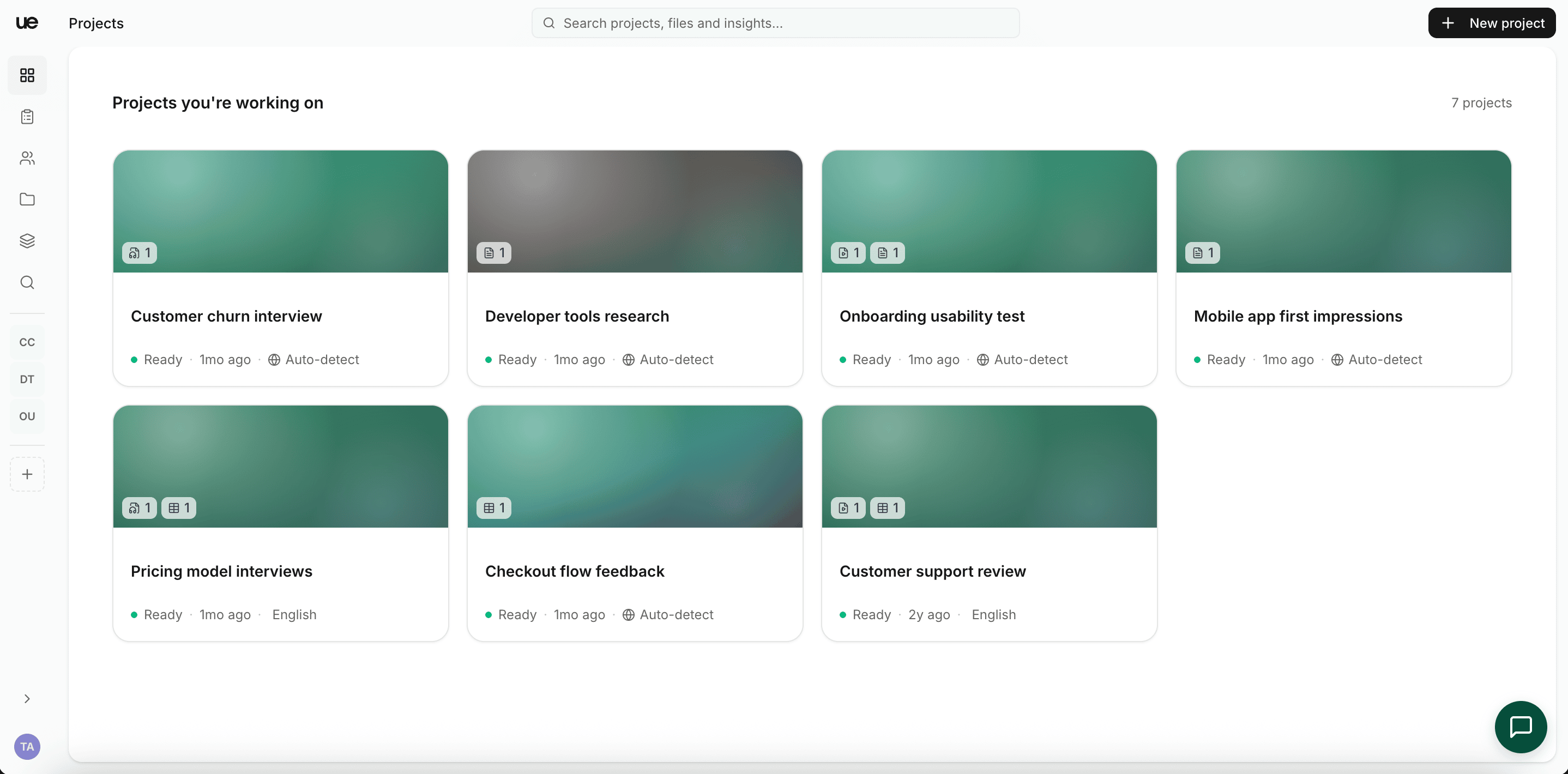
This creates a blank project named Untitled and opens it on the Upload view. You can rename it any time from the breadcrumb in the top bar. The language defaults to auto-detect; set it later from the project's hamburger (Menu) in the top bar (see Changing the project language).
2. Add files
The project opens on the Upload view. Add files there.
We accept:
- Audio: mp3, wav, m4a
- Video: mp4, mov, webm
- Text and documents: txt, pdf, docx
- CSV: for survey responses or tabular data
Drag and drop, or pick files from your computer. Each file goes through transcription (audio/video) and indexing.
Each file has a size cap. For oversize media, compress with HandBrake first; you won't lose transcription quality.
3. Wait for processing
Each file goes through transcription and embedding. Most files finish in 5 to 15 minutes. You can navigate away; you'll get an email once everything's ready. Files that finish early already work in chat while others process.
4. Use the project
Once processing finishes, work through the left sidebar:
- Chat. Talk to the AI agent. Ask anything; the agent cites the source.
- Files. Open any file to see its transcript, insights, and clips.
- Outputs. Every artifact the agent (or you) created: charts, clips, reports, decks, cards.
- Collection. Drag insights onto a Kanban board.
- Tags. Every tagged span across the project.
- Clips. Saved transcript snippets, ready to download as video.
- Notes. Live notes from interview sessions, grouped by session, question, or tag.
The Project overview walks through the shell in detail.
Free-plan limits
On the free plan you get:
- 1 project of your own. The bundled sample doesn't count.
- 10 chat messages per project.
- A capped number of file uploads.
Hit a wall? Upgrade from Settings → Plan & Usage.
If you get stuck, write to support@userevaluation.com.