AI Reports
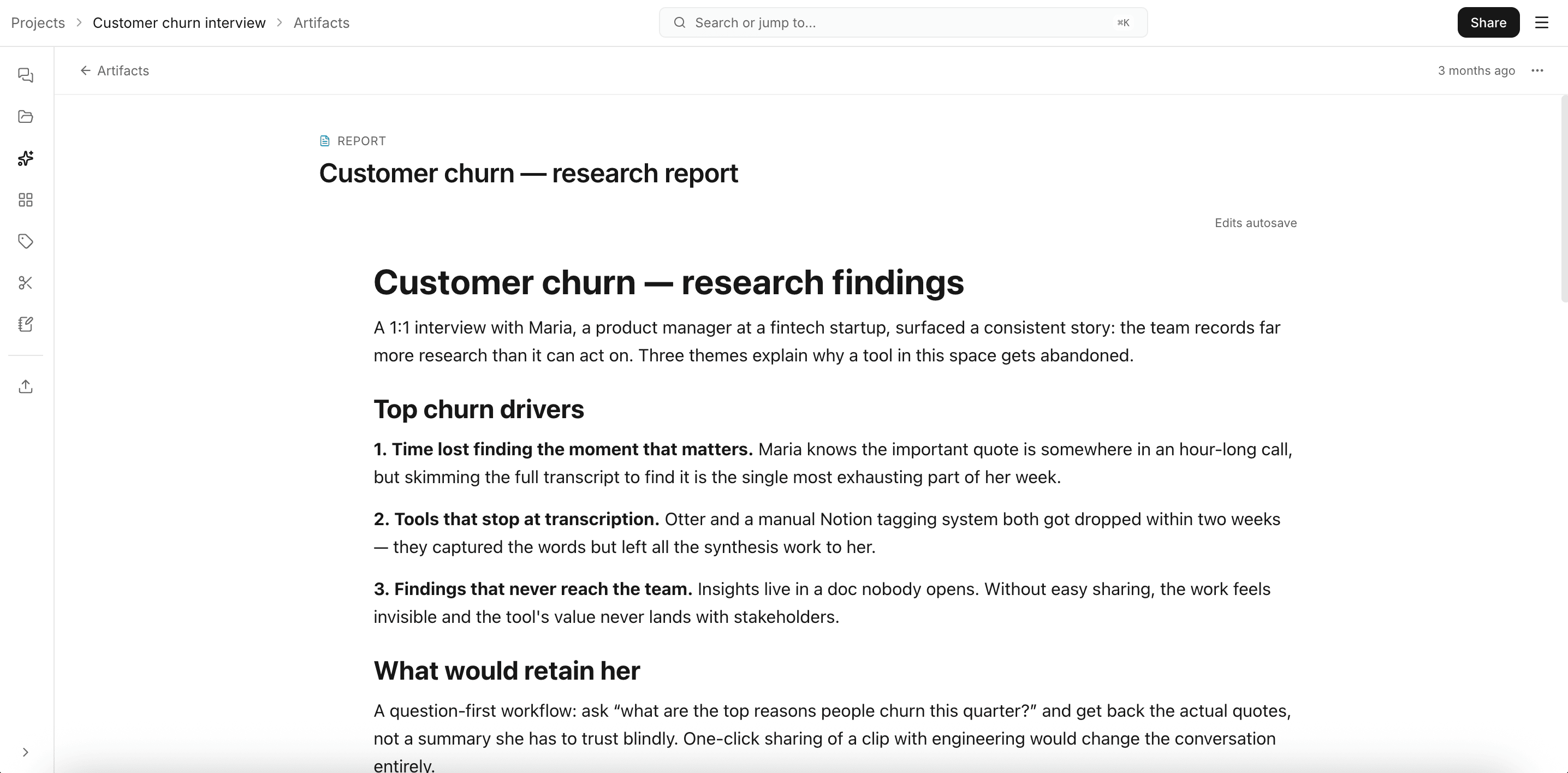
A report is an editable written document the AI generates from your project files: structured sections, embedded charts, citations back to source material. Reports live in the Outputs tab as one artifact type alongside decks, clips, and charts.
Creating one
Ask the chat agent. Any of these work:
- "Draft a report on the top three pain points, grouped by theme."
- "Write up findings from interviews 1 through 5, organized for an exec audience."
- "Summarize the data into a report with one section per persona."
The agent's draft_report tool kicks in; the report streams into Outputs.
Editing
Reports open in a rich block editor.
You can:
- Rewrite, restructure, or delete any block.
- Add new headings, paragraphs, and lists.
Edits autosave.
Sharing and exporting
From the report's overflow menu:
- Create share link (then Copy share link). Read-only public view at
/public/:id, no account needed. - Export to Word (DOCX) to drop into your existing template.
Tips
- Give the AI a concrete brief. "Pain points across SMB customers, ranked by frequency" produces a sharper report than "summarize the data."
- Pick the right files. Including everything when you mean a subset dilutes the output.
- If a section feels weak, ask the chat agent to rewrite it ("rewrite the 'pricing' section as a numbered list of objections, with quotes") and paste the result into the editor.
For a step-by-step, see Creating an AI Report.